ArmSX2 Emulator Download

The ArmSX2 APK is a free, open-source emulator for the PlayStation 2 (PS2) that runs on the Arm64 architecture. It is based on the PCSX2 project and has a lot of features and works very well, so you can play PS2 games smoothly.
What is ArmSX2?
ArmSX2 is a very exciting new open-source emulator for the PlayStation 2 (PS2). This was made only for devices that use the Arm64 architecture. This project is based on the famous PCSX2 project. Its goal is to bring high-quality PS2 gaming to modern Android phones, tablets, and other devices that use ARM processors.
The developers are still working on the project, even though it is still in the early stages of development. The PS2 emulation community on ARM has a new hope and future in ArmSX2, especially since development on other emulators like AetherSX2 has stopped. It has a lot of potential to be the best, most stable way to play PS2 games on the go.
ARMSX2 Core Advantages
Built on PCSX2
ArmSX2 is based on the famous PCSX2 codebase, which has been modified to work with the ARM architecture. This strong base gives you a big head start in terms of compatibility and accuracy.
Optimized for Arm64
ARMSX2 supports a wide range of ARM architecture devices, including Snapdragon, MediaTek, Exynos, and Apple Bionic chipsets. It offers performance optimizations for ARM devices.
Multiple Graphics Renderers
You can use a fast, near-Vulkan API-like graphics rendering, highly compatible OpenGL, and a software renderer for accuracy. With this graphics rendering support, you can customize it to achieve the best possible graphical experience.
Gamepad & Controller Ready
Have a real console experience. The emulator works with modern gamepads right out of the box, whether you connect them via Bluetooth or USB.
Built for High Speed
The goal of ArmSX2 is to provide high, stable framerates. It has a number of optimization settings that you can change to get the best performance out of your device.
Community-Driven & Open
The code for this project is 100% open source and can be found on GitHub. This lets you report bugs, ask for new features, or even help make the emulator better yourself.
Recommended Device Hardware
For the best experience with ArmSX2, we recommend that your hardware meets these minimum and recommended requirements for smooth gameplay.
Processor (CPU)
A good CPU is very important. We recommend at least a *Snapdragon 732G* or *Helio G99*. A newer, more powerful chipset is highly recommended for stable framerates in demanding games.
System RAM
ArmSX2 works well, but you need at least 3GB of memory. We strongly suggest having at least 6GB of RAM so that the OS doesn't close the app while you're playing or doing other things.
Storage Space
Some PS2 games are big. We suggest that you have at least 5GB of free space. If you want to build a good game library, you should aim for at least 10GB of free space.
Operating System (OS)
You will need an up-to-date version of Android. ArmSX2 works with Android 8.0 (Oreo) and all newer versions, up to Android 16. Make sure your operating system is up to date.
Graphics (GPU)
The GPU on your phone does the rendering. For good performance, we suggest a Adreno 618, Mali G57, PowerVR GM9446, Apple A14 Bionic, or any other graphics processor that is equal to or better than these.
Getting Started: Your First ArmSX2 Setup
New to ArmSX2? This 12-step guide will walk you through the entire setup process, from installation to loading your first game.
1. Gather Your Essentials
Check to see if you have the ArmSX2 APK, the PS2 BIOS file, and at least one game ISO you want to test before you begin. Put them in a folder that's easy to find.
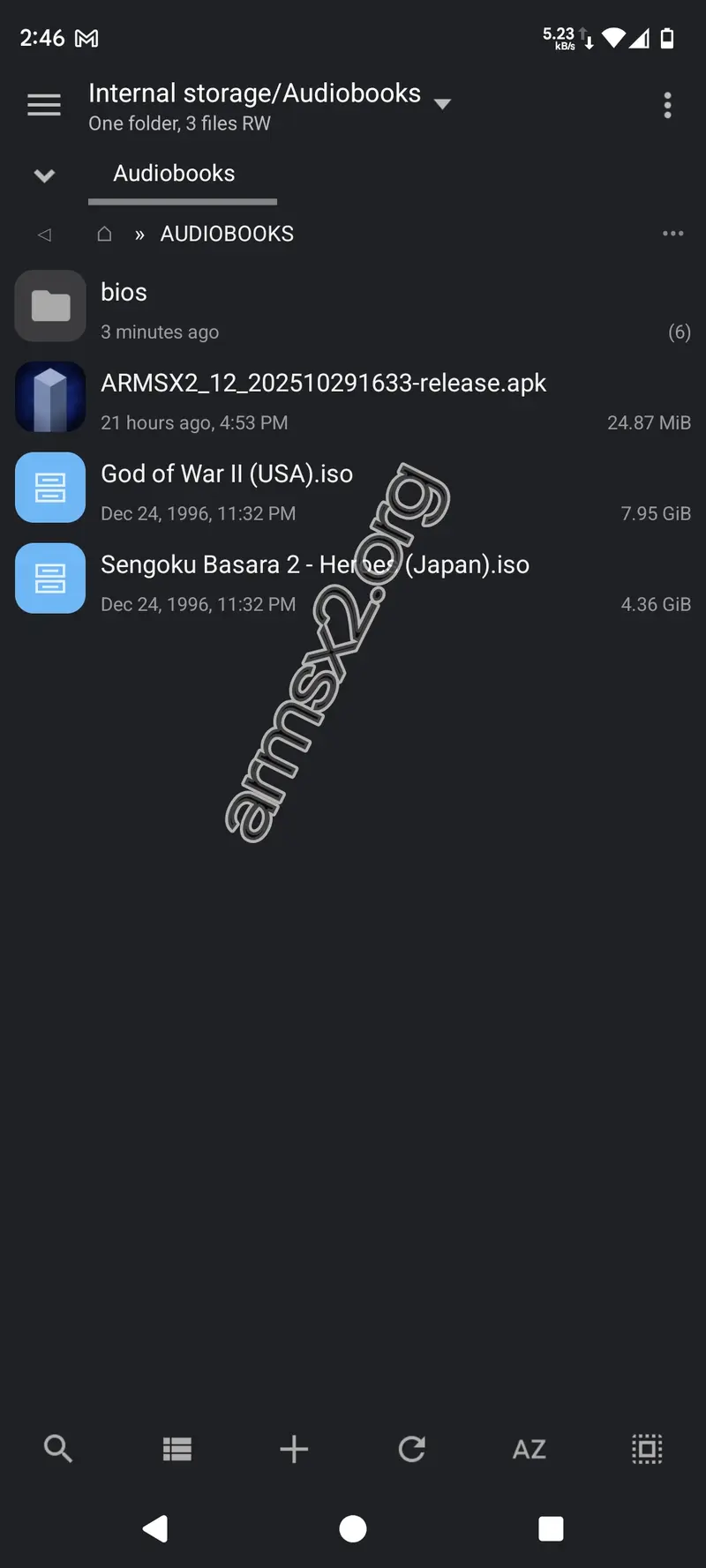
2. Install the Emulator
Find the ArmSX2 APK file you downloaded in your file manager. After that, tap it. When the system tells you to, pick "Install."
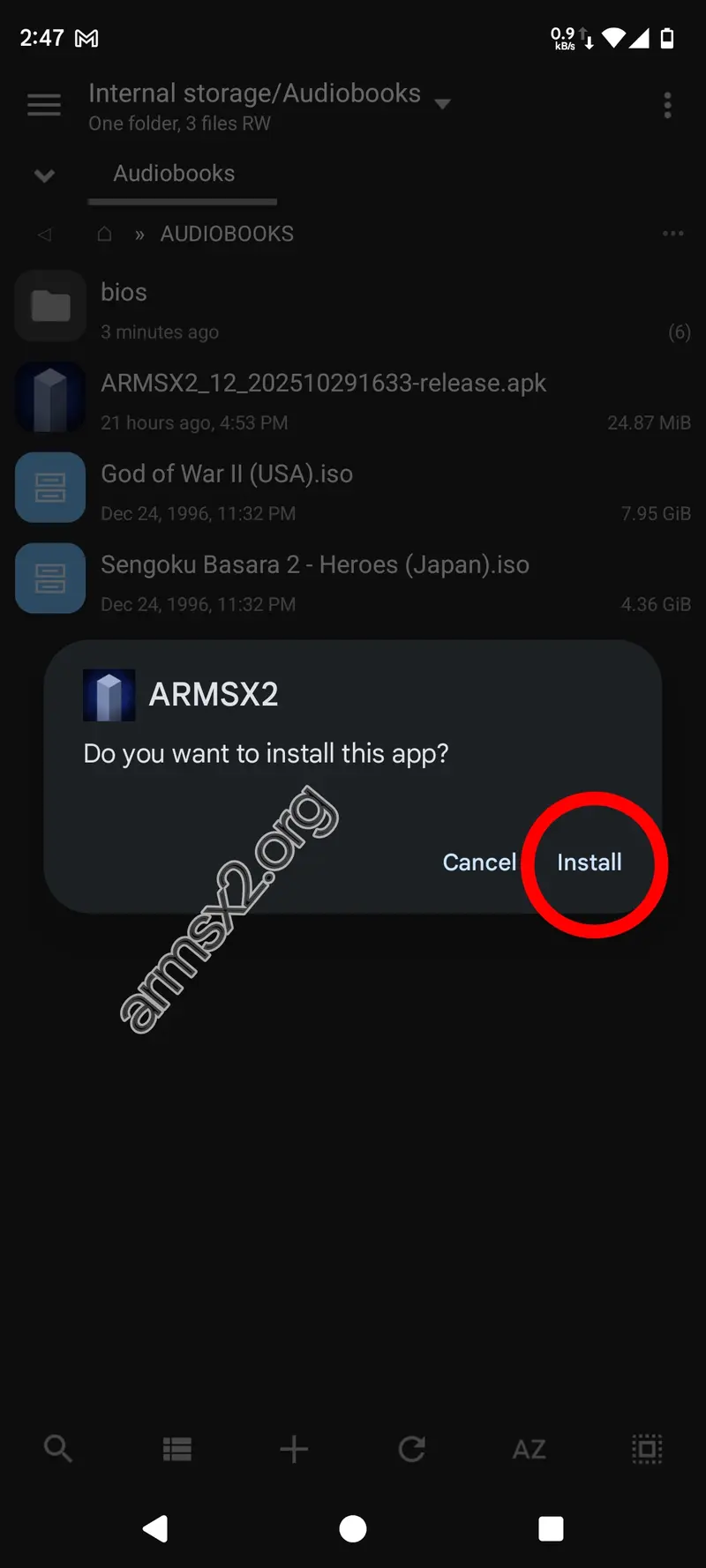
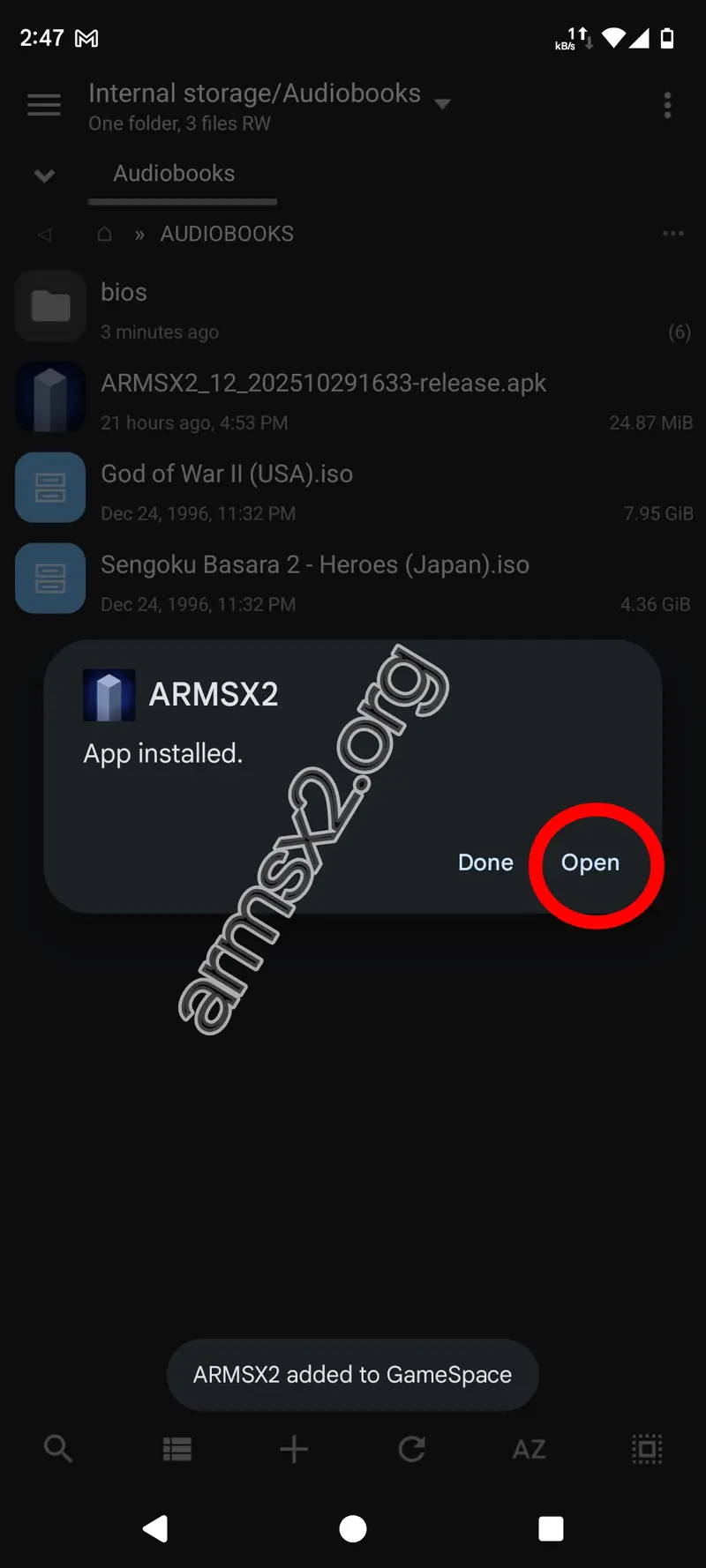
3. Launch ArmSX2
When the installation is done, click the "Open" button to start the emulator for the first time.
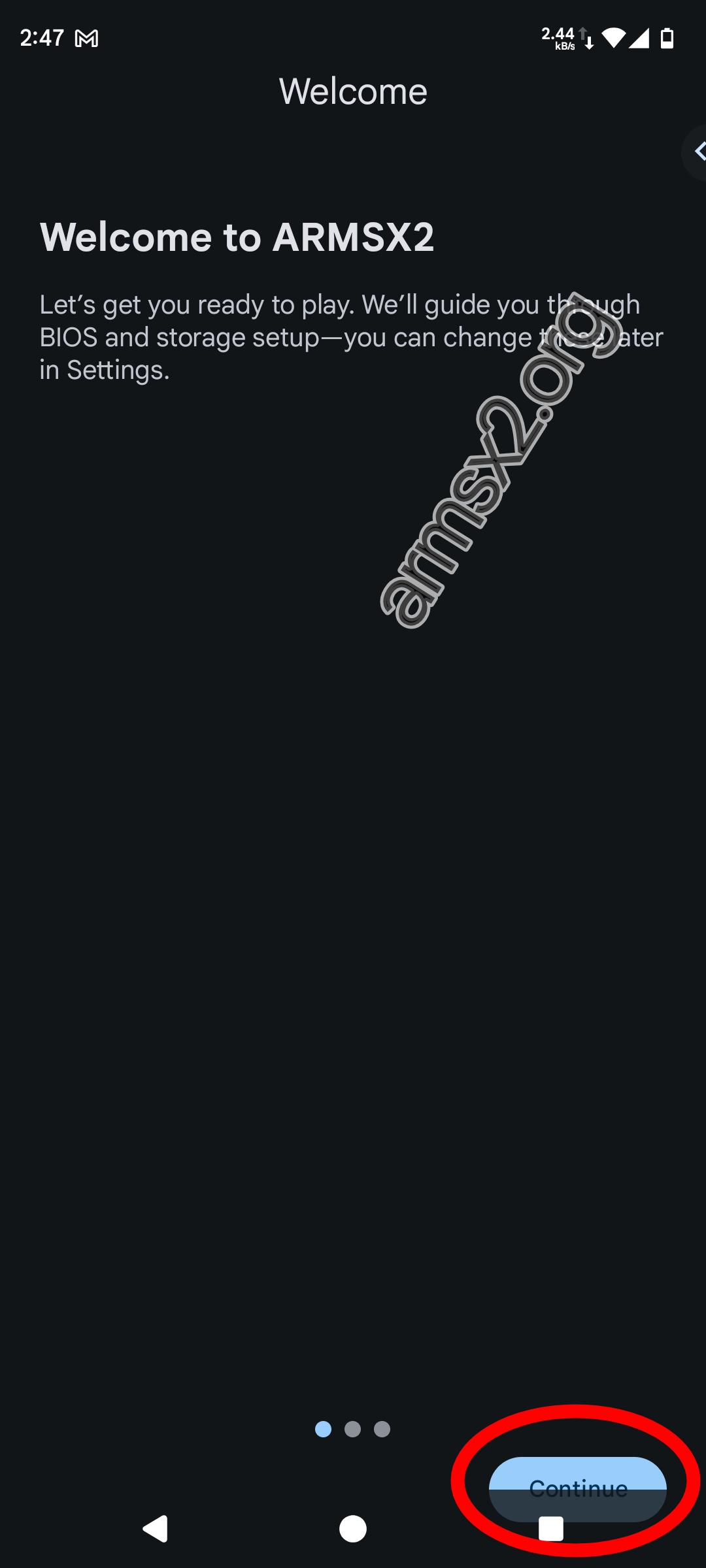
4. Begin the First-Time Setup
You will see the ARMSX2 welcome page. Tap Continue.
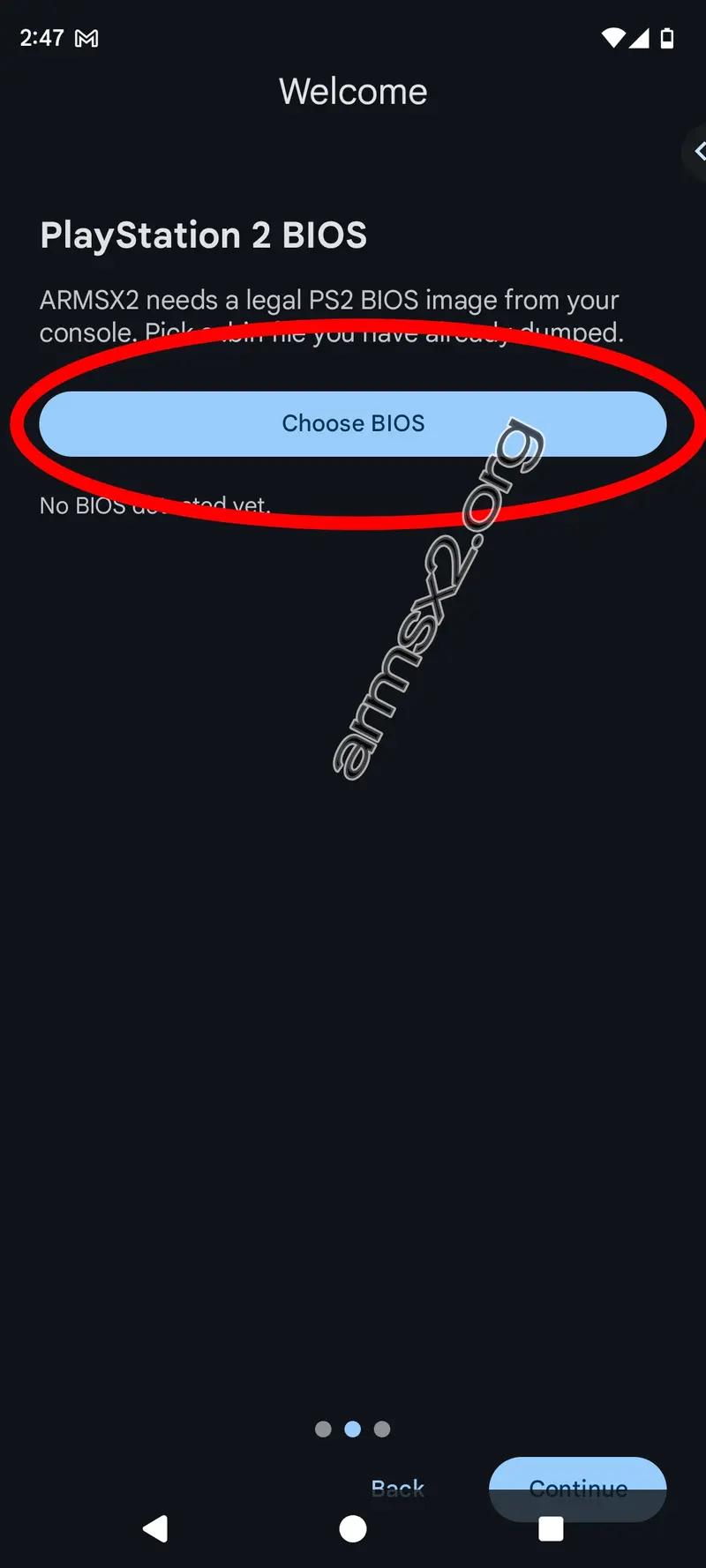
5. Select Your BIOS File
You need a PS2 BIOS to run ArmSX2. To open the file selector, click the "Choose BIOS" button.
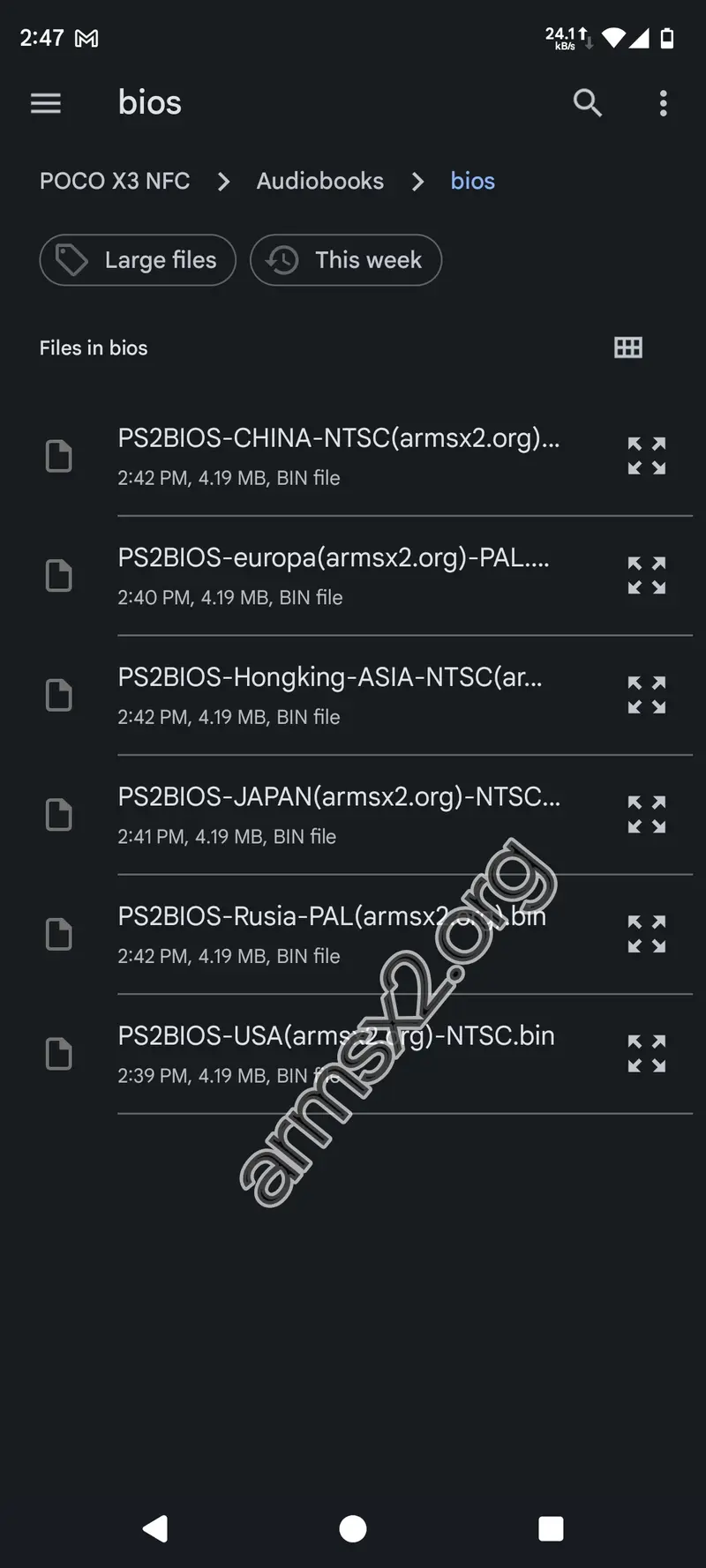
6. Navigate to the BIOS
Open the folder where you saved the BIOS file and tap to select it from the list.
7. BIOS Import Successful
The app will check the file and let you know that the BIOS is ready to use. To move on to the next step, tap "Continue."

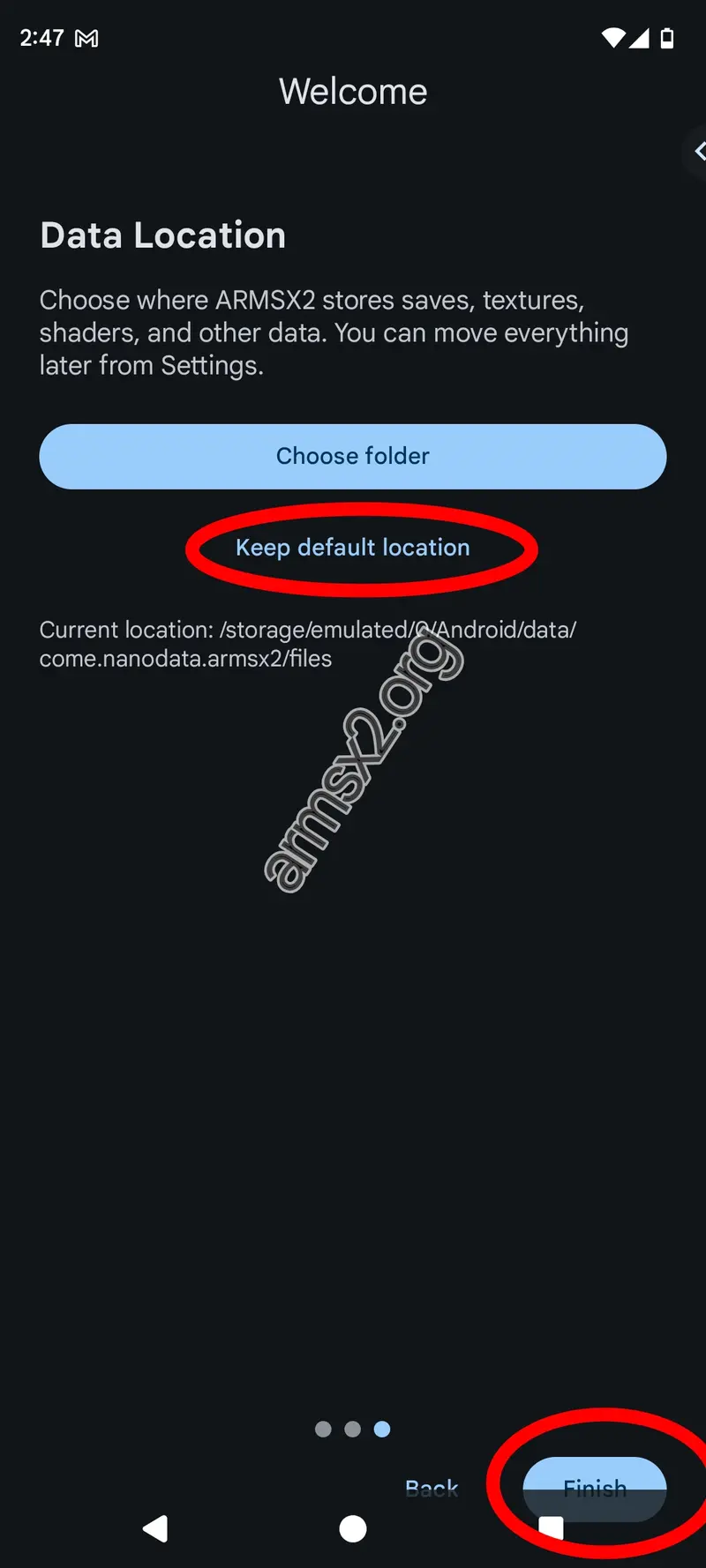
8. Choose Data Storage
This step asks you where you want to save your data, such as on memory cards. We suggest keeping this on Keep the default location. Hit Finish.
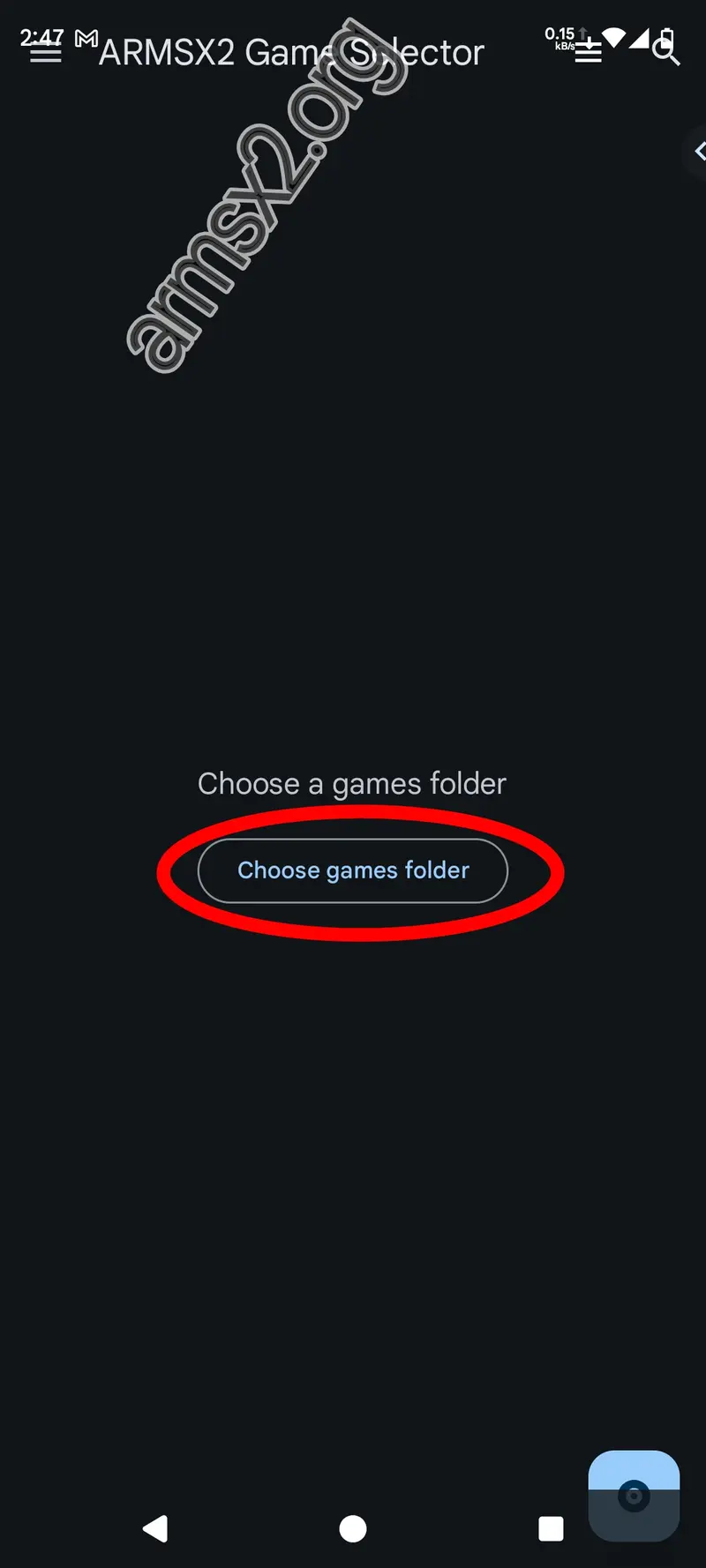
9. Select Your Game Directory
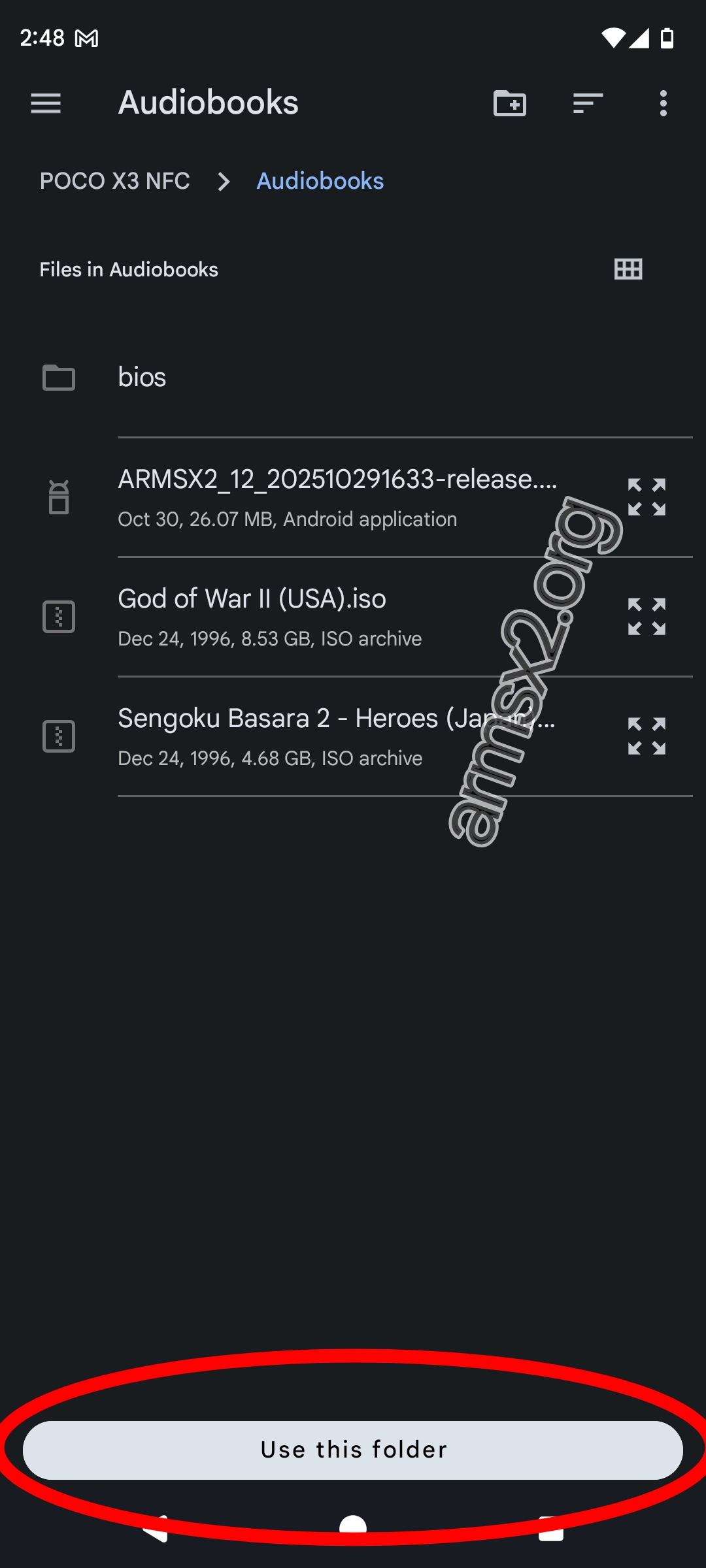
Let's add your games now. To tell the emulator where your ISOs are, tap the Choose games folder button.
10. Point to Your ISO Folder
Find the exact folder where all of your PS2 game ISOs are stored. When you're in that folder, tap the button that says "Use this folder" at the bottom.
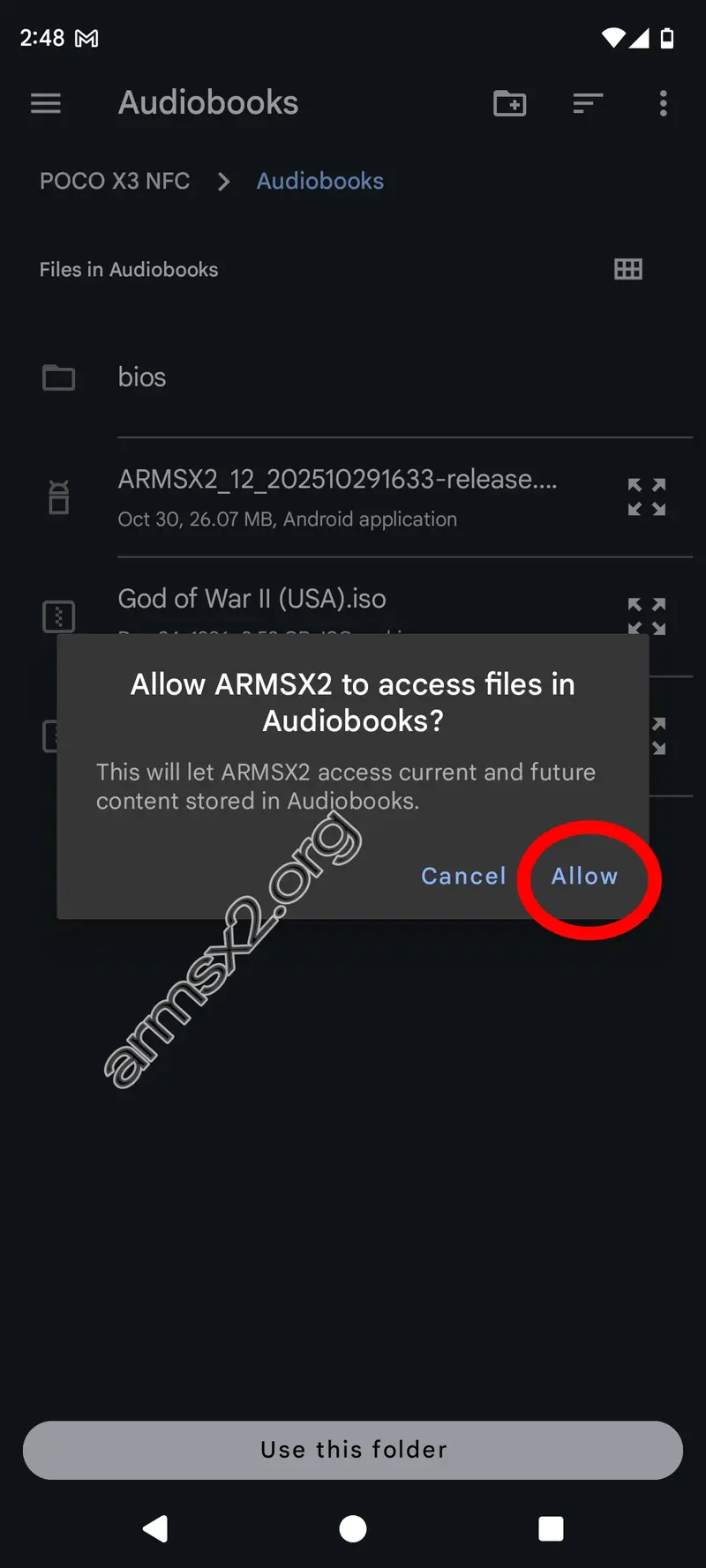
11. Allow File Access
Android will ask you if ArmSX2 can read that folder. To let the emulator see your games, tap "Allow."
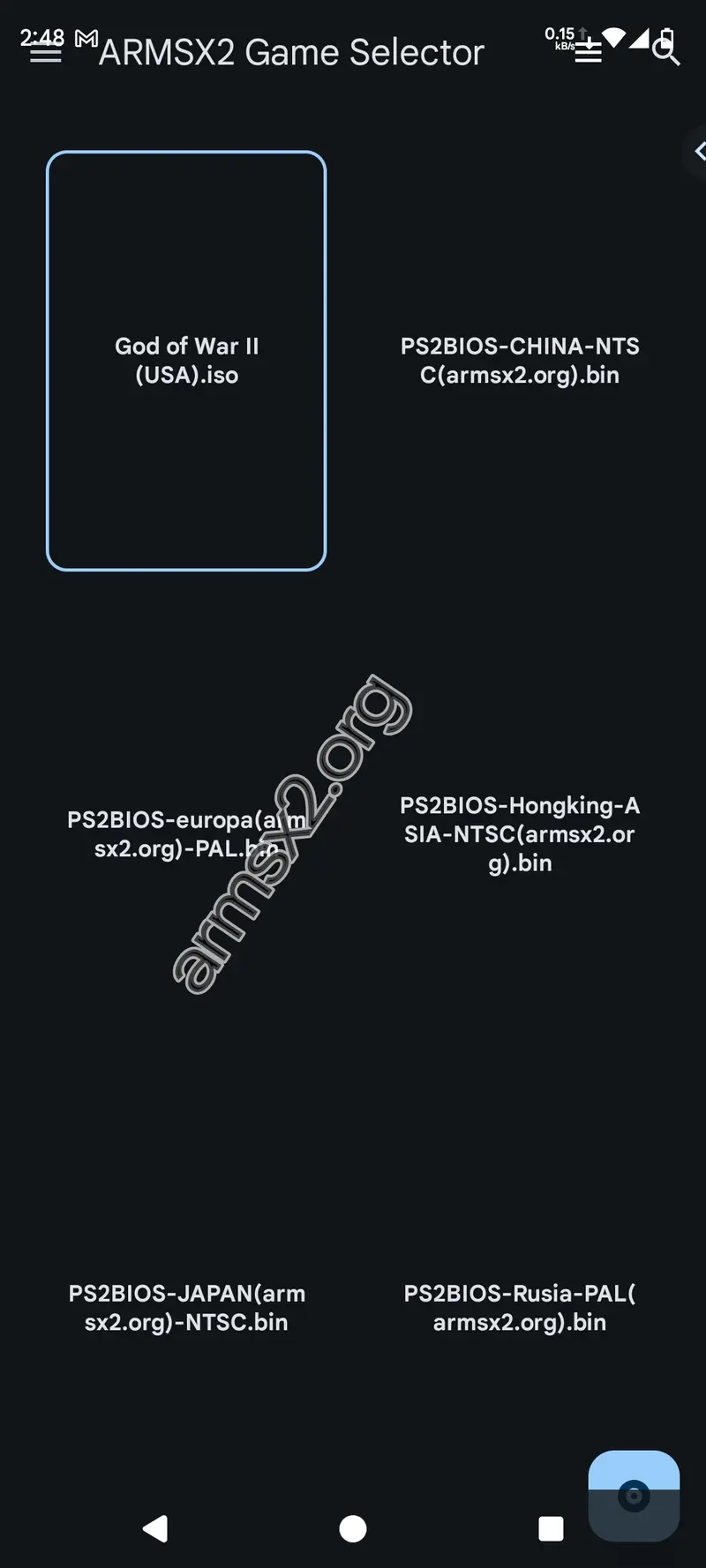
12. Setup Complete!
That's all! Now your library of games will load. To start playing, just tap on the cover of any game.
Frequently Asked Questions ARMSX2
Mcd001.ps2) in your AetherSX2 or PC-based PCSX2 folder and copy it to the /memcards/ directory that ArmSX2 uses.
How To Install and Use ArmSX2 Emulator
ARMSX2 is a PlayStation 2 (PS2) emulator for ARM64 platforms such as Android, iOS, macOS (Apple Silicon), and other devices. It is a fork of the PCSX2 …